
Features
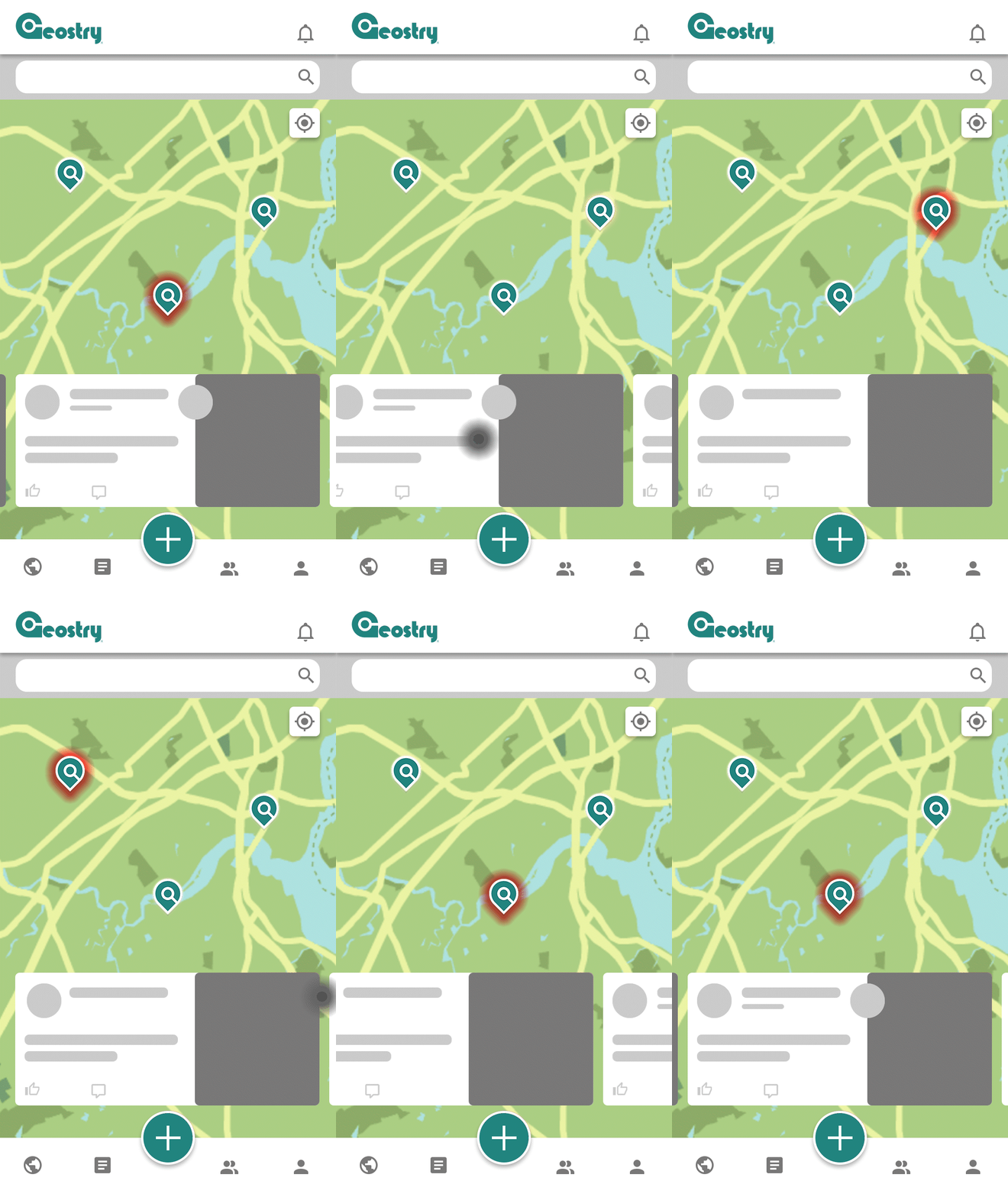
Home Map Interaction
Posts on the map will load as cards on the carousal.
You can swipe left or right to traverse through cards.
The corresponding pin for the centered card will be highlighted in red on the map.
Alternatively, you can tap on pins to center the card on the carousal.
Current Location
Use the current location button to see posts near you.
(Enable location services to do this)
Alternatively, you can search for a city.


Create Post
Registered users can create posts.
When you create a new post, Geostry uses your current location to pin your post to the map.
You can adjust this pin within the boundary during or after creating the post.
Set the appropriate privacy level when you create a post.
Be mindful about your whereabouts and contents when you post publicly.